Top Website Builders for Photographers: No Coding Needed
Hello future photographers! If you want to build a website for free, check out this article to decode the secrets of top website builders for photographers!

Do you want to showcase your photography online and attract new customers? Or do you want to increase your income by selling photos? Whether you are a professional photographer or just starting out, a beautiful website is the key to showcasing your work online and building your brand image. Finding the right online website builder for photographers is key.
Key Factors When Choosing a Photography Website Builder
Design Flexibility & Professional Templates
- Diverse Photography Templates: Opt for a builder that offers a wide array of photography-specific templates in various styles, such as minimalist, magazine, or high fashion. These professional templates instantly elevate your site's aesthetic, which can improve user engagement signals for SEO.
- Intuitive Drag-and-Drop Customization: The core of these builders is a visual editor that requires no coding skills. It empowers you to easily customize colors, fonts, and layouts, creating a unique website that genuinely reflects your personal style. A well-designed, user-friendly interface can lead to longer site visits.
- Comprehensive Theme Building Features: Advanced website builders provide complete control over your site's overall design, including headers, footers, and album pages. This ensures a consistent visual style throughout, enhancing user experience (UX) and indirectly benefiting SEO.
Robust Image Management & Optimization
- High-Resolution Support: Ensure your chosen platform can display large images in HD without losing detail due to compression. High-quality visuals are paramount for photographers.
- Intelligent Image Optimization: The builder should automatically adjust image sizes and formats to maintain image quality while optimizing loading speed. Fast website loading speed is a critical SEO ranking factor, preventing performance degradation from overly large images.
- Rich Gallery Display Options: Look for a variety of display methods like grid layouts, masonry (waterfall) flows, slideshows, and lightbox modes. Diverse display options allow your work to be presented in the most impactful way, keeping visitors engaged.
- Lazy Loading: This feature significantly improves initial page load times by only loading images when they become visible in the user's viewport. Faster initial load speed enhances user experience and is a strong positive signal for search engines.
Client Features & Business Expansion
- Client-Only Galleries: The ability to create private galleries where clients can view, select, and download photos offers a professional service experience, boosting client satisfaction.
- Online Print & Digital Sales: If you sell photographs or offer download services, an e-commerce-enabled builder is essential. It should facilitate secure payment systems (supporting popular methods like PayPal and Stripe) and allow for customizable product pages displaying different sizes, materials, and pricing.
- Appointment Scheduling & Management: An integrated online booking system allows clients to directly schedule sessions on your website, significantly increasing productivity and streamlining your workflow.
- Inventory Management & Order Fulfillment: For those selling limited-edition prints or photo merchandise, inventory management tools help efficiently track sales and stock.
Ease of Use & Scalability
- Code-Free Customization: Photographers should focus on their craft, not complex web development. A visual interface that allows easy adjustments to layouts, colors, and fonts without coding is paramount.
- Time-Saving Features: Pre-set templates, automated image optimization, and streamlined workflows help you quickly build a professional photography website, allowing more time for shooting.
- Responsive Design: Your website must provide a seamless browsing experience across all devices – mobile, tablet, and desktop. This is crucial for user satisfaction and is a core SEO requirement.
SEO Optimization & Growth
- Built-in SEO Tools: The website builder should include essential SEO tools such as image alt-tag fields, sitemap generation, and page optimization suggestions. These features make it easier for search engines to crawl and index your website effectively.
- Blog Features: A blog is an excellent way to strengthen your website's authority and attract more potential clients. Sharing shooting experiences, photography tips, or behind-the-scenes stories can drive organic traffic.
- Scalability: As your business grows, choose a platform that allows your site to expand easily in terms of storage, bandwidth, and functionality without needing a complete rebuild.
- Customer Support: Reliable and responsive technical support is key to ensuring your website's stable operation when issues arise.

Top 3 Website Builders for Photographers
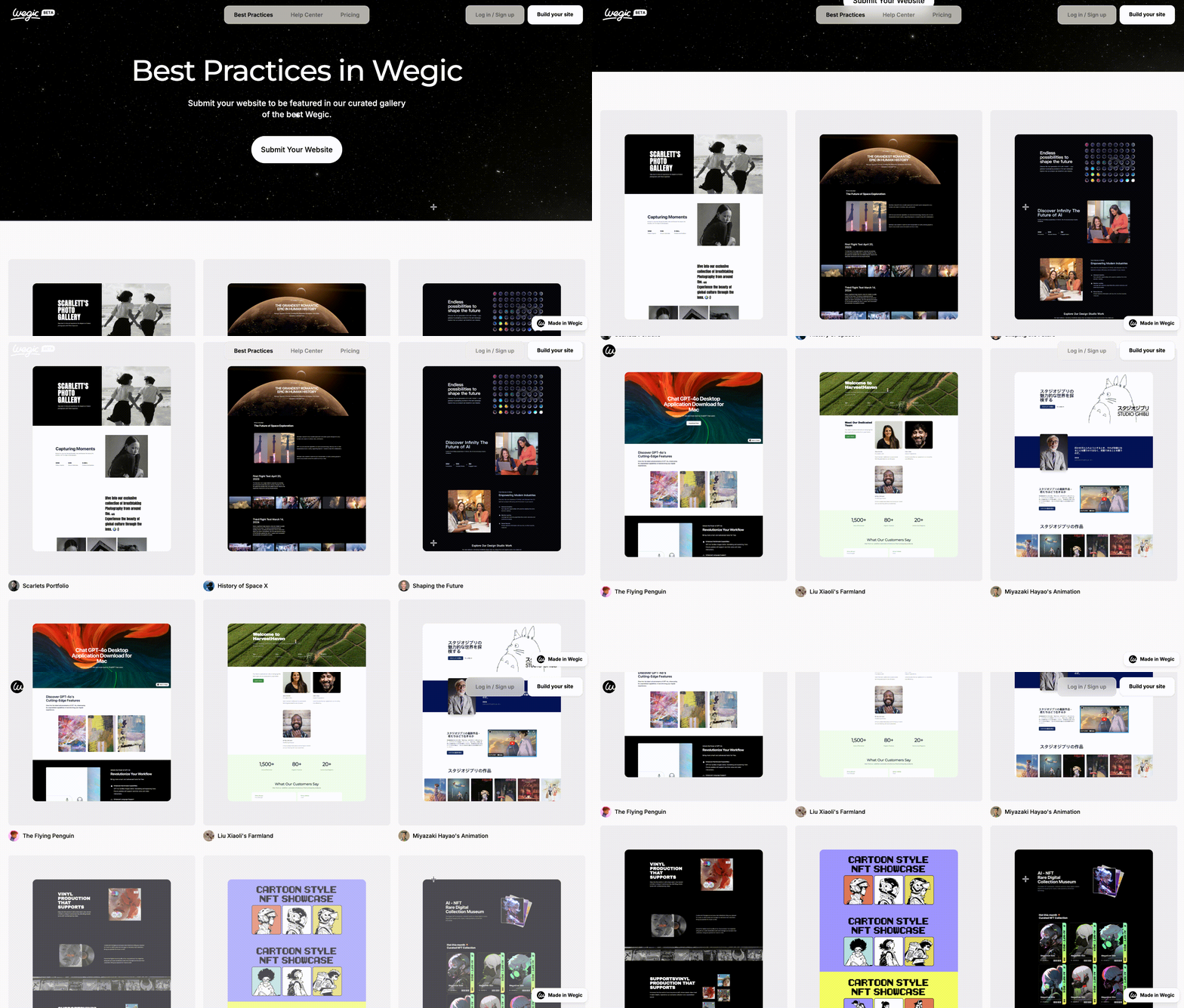
1. Wegic

2. Elementor
-
Appointment & Contact Form: Integrated Contact Form 7, WPForms, allowing customers to easily book shooting.
-
E-commerce support: Compatible with WooCommerce to sell print and digital photos directly on the site.
-
Dynamic content (e.g., customer reviews, work categories)
-
Advanced Animation & Interaction (scrolling effects, mouse hover effects)
-
More professional templates to create a more attractive website
-
Custom WooCommerce store to sell photography directly online
3. Pixpa
-
Simple, minimalist, picture-driven layout, a variety of styles to choose from.
-
Easy customization, color, font, and layout can be adjusted to make the site unique.
-
Full-screen photo gallery & Waterfall flow layout to make your photos more attractive.
-
No code, just a simple drag and drop; your professional website will be up and running!
-
Let customers view, proofread, and select photos online, reducing tedious communication.
-
Set access rights to provide secure private gallery links.
-
Efficient Optimization & Fast Loading:
-
Automatically optimizes picture size to ensure high definition without distortion & fast loading.
-
Responsive design, whether mobile phone, tablet, or computer, can be perfectly adapted.
-
Sell print & digital downloads, one-click order management.
-
Seamless integration of well-known printing LABS to automatically handle photo printing and distribution.
-
Support photography service booking; customers can book directly on the website.
-
Make you not only a photographer but also a successful photography business!
-
Easy to use, focused on creation rather than technology
-
Pixpa's intuitive interface & practical guide makes building a site easy:
-
No programming is required, suitable for all photographers, whether you have a technical background or not.
-
Drag-and-drop editor to easily adjust website layout.
-
Comprehensive tutorials & customer support, ready to help you solve problems.

Conclusion
Written by
Kimmy
Published on
Jun 25, 2025
Share article
Read more
AI Building
From Backend Engineer to AI Builder: How No-Code Tools Transform Technical Innovation
Oct 22, 2025
AI Building
Von der Kommandozeile zur Community-Wirkung: KI-Tool für Waldbrand-Versicherungsansprüche
Oct 23, 2025
Our latest blog
AI Building
Oct 23, 2025
Von der Kommandozeile zur Community-Wirkung: KI-Tool für Waldbrand-Versicherungsansprüche
AI Building
Oct 22, 2025
From Backend Engineer to AI Builder: How No-Code Tools Transform Technical Innovation
Webpages in a minute, powered by Wegic!
With Wegic, transform your needs into stunning, functional websites with advanced AI